Classroom management tools for the whole school day
Classroom management tools are the things on the board that keep a class running without you repeating yourself: a timer, a noise meter, a fair way to pick names and groups, and points the whole class can see. Every tool here opens on the classroom whiteboard in a click and loads the class list you save once. Ten of the twelve are free for good.
Free classroom management tools, and what free means
Ten of these tools never use a token: the Whiteboard, Lesson Timer, Bouncy Balls, Spin the Wheel, The Hook, House Points, Visualizer, Groupings, Class Reward Jar and Morning Board. They only need a free account. Whisper Wild and Seating Plan Maker are free to try: every account starts with 20 free tokens. Whisper Wild uses one the first time it opens each day, and Seating Plan Maker uses one when you print.
Classroom management tools for new teachers
If you are new to teaching, start with three: a timer, a noise meter and a name picker. They cover what goes wrong first with a new class: an activity that drifts, volume that creeps up in group work, and the same few hands answering every question. Add points and a seating plan once the class has settled.
A free classroom timer for transitions
Lesson Timer is a free classroom timer built for the board, with eight faces from a sand timer to a rocket flying to the Moon. Set a warning at 30 seconds, or 1, 2 or 5 minutes before the end, so tidying up starts before the time has gone rather than after. Build a lesson as stages, such as a starter, a main task and a plenary, and it chimes and moves on by itself. Carousel mode repeats one time for several rounds, for guided reading or station work. The space bar pauses it, and it stops the board going to sleep while it runs.
A noise meter for the classroom
A noise meter shows the class how loud the room is, so the correction comes from the screen instead of from you. Bouncy Balls is free: the balls sit still while it is calm, bounce higher as the volume rises, and past the line the screen flashes. Whisper Wild rewards quiet instead. Animals, each named after a child, come out while the room stays under the line you pick: Silent, Whispers or Partner talk. A quick burst is ignored, so one dropped pencil pot does not undo the calm. Neither keeps any sound; the microphone only reads the level.
Choosing names fairly with a random name picker
A random name picker means every child has to be ready, because any name could come up, and it ends the argument about whose turn it was. Spin the Wheel fills with your class in one tap. Turn on Remove after pick and nobody is chosen twice until everyone has gone. Pick per spin chooses up to four at once for a pair or a small group. The Hook does the same job more slowly on purpose: every child is a fish, a hook drops, and one is caught. By default each fish leaves the tank once caught, or choose Put them back for cold calling all lesson.
A group generator for the classroom
Groupings splits the class into groups of the size you choose, or into a set number of groups, and deals the names out on the board. Tap anyone who is away first and the groups work round them. Set keep-apart and keep-together pairs once and every later grouping respects them, and it steers away from pairings it has made recently. If one group lands badly, drag a single name across instead of reshuffling everyone. For a carousel, station rotation plans every round so each child visits each station once, ready to print.
Rewards and points the class can see
Praise lands better when the class can watch it add up. House Points gives every pupil a card on the board: tap it and a point lands with confetti in their house colour. Undo takes back a mis-tap, and the totals save to your class for next week. For a whole-class target, Class Reward Jar fills towards a goal you set, anywhere from 10 to 250 points. The child who earned the marble fires it through a course on the board, and a miss simply comes back for another go.
Interactive whiteboard tools in one place
The Whiteboard is a free teaching board with over 30 widgets you place around your own writing, including a timer, traffic light, noise meter, a voice level card from Silent to Group talk, a name picker, group maker, house points and today's lessons from your saved timetable. A free account saves one screen to open again next lesson. If you are coming from Classroomscreen, the side-by-side comparison sets out what is the same and what is different.
Visualizer turns any phone into a document camera. Open it on the board, scan the QR code or type the join code on the phone, and its camera appears live on screen, ready to rotate or flip. There is no app to install and no visualiser to buy.
Starting the day and seating the class
Morning Board fills the screen before the doors open with the date, the weather, your timetable and eight tiles that change daily, such as a country, an animal and a word of the day. Seating Plan Maker lays out your real room as rows, a horseshoe or pods, then fills the seats from your class list or lets you drag each child into place and print it for whoever covers.
Classroom management for KS1, KS2 and elementary
Younger children, Reception and KS1 in the UK or pre-K to first grade in the US, respond best to tools they can read without words: the sunset or sand timer face, Bouncy Balls, Whisper Wild and The Hook. Older primary and elementary classes, Years 3 to 6 or grades 2 to 5, get more from the systems behind them: house totals that build over a term, keep-apart rules in Groupings, and a lesson in timed stages they can see coming.
Questions teachers ask
Do I need to sign in?
Yes, with a free account. It holds your class list so every tool here can load it. Pupils never sign in.
Written by a practising primary school teacher, and part of the free-to-try Sage Teachers apps.
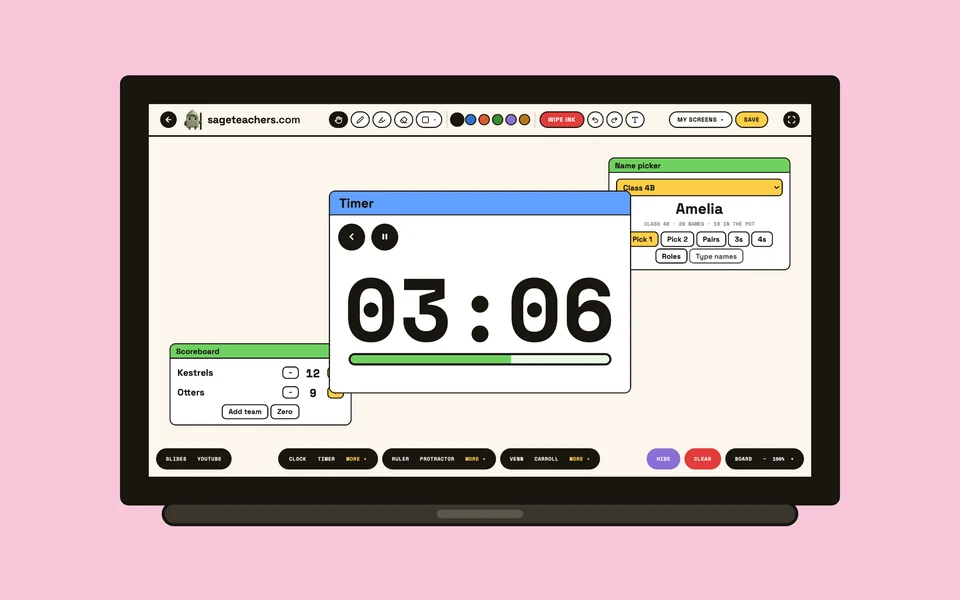 WhiteboardA timer, noise meter, name picker and over 30 widgets on one board.Both
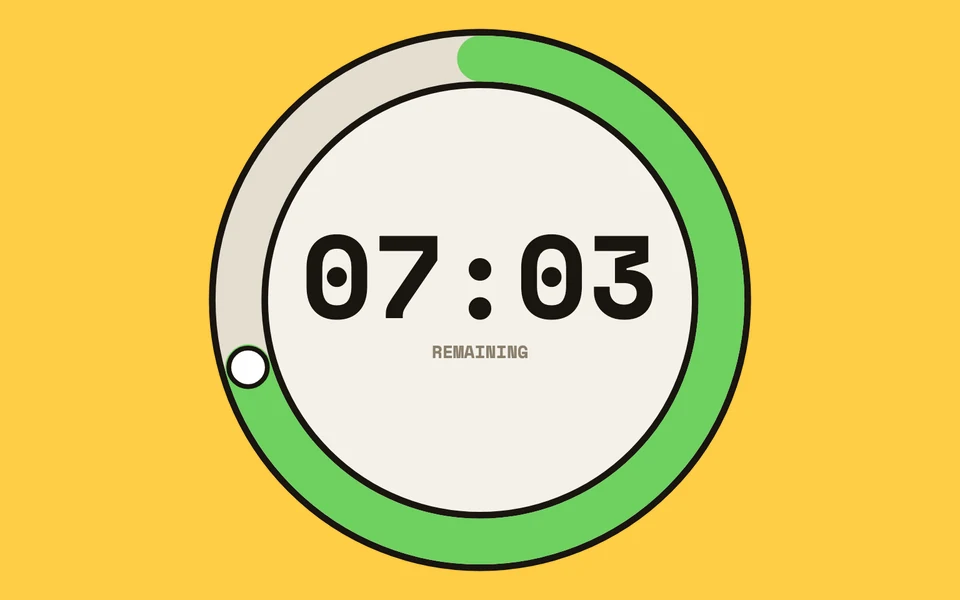 Lesson TimerEight timer faces, a warning before the end, and whole lessons in timed stages.Organising the class
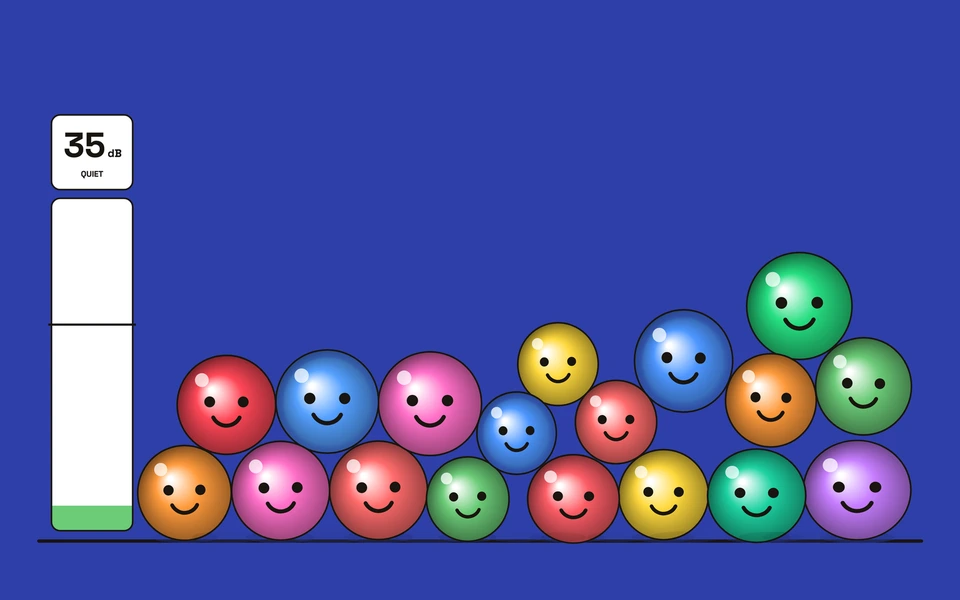 Bouncy BallsA noise meter: the balls bounce higher as the room gets louder.Noise and behaviour
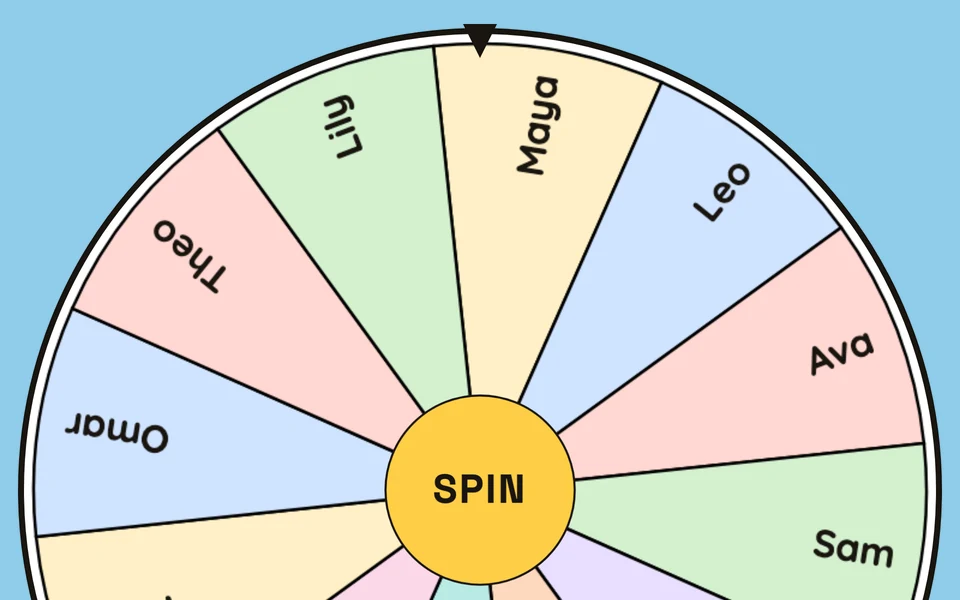 Spin the WheelA random name picker that can take each child off once they have had a turn.Organising the class
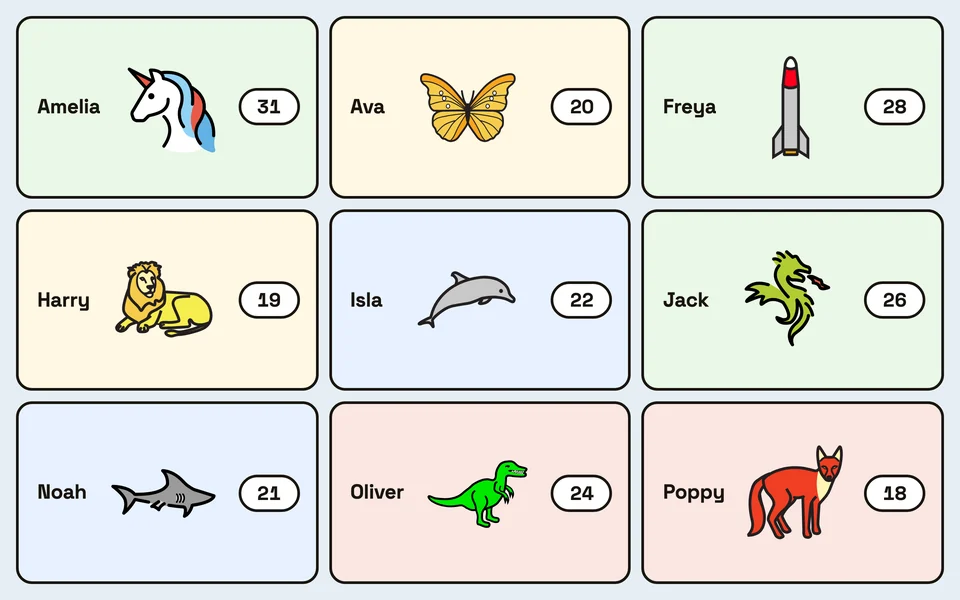 House PointsTap a pupil's card to give a point. Totals save for next week.Noise and behaviour
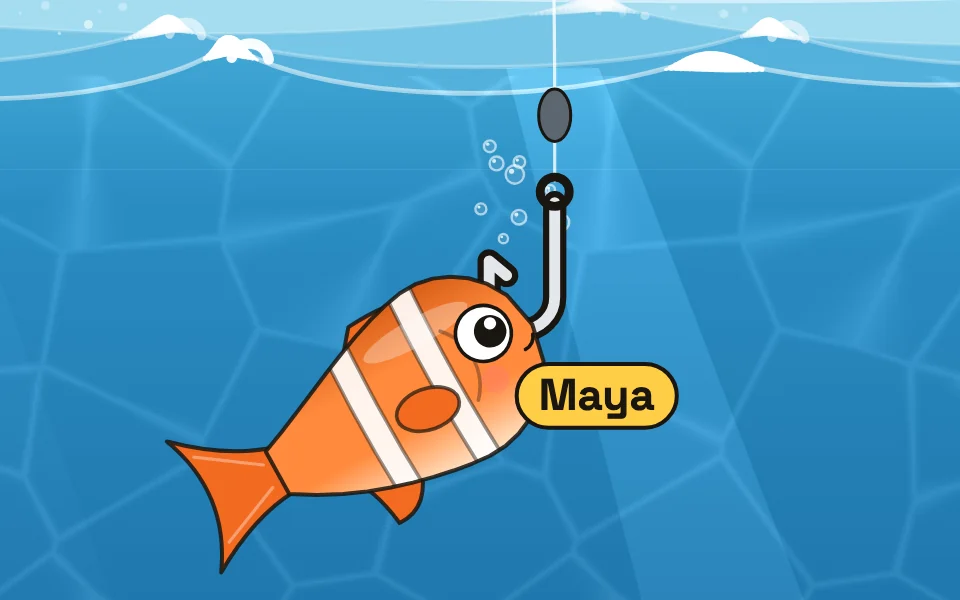 The HookEvery child is a fish. The hook drops and catches the next name.Organising the class
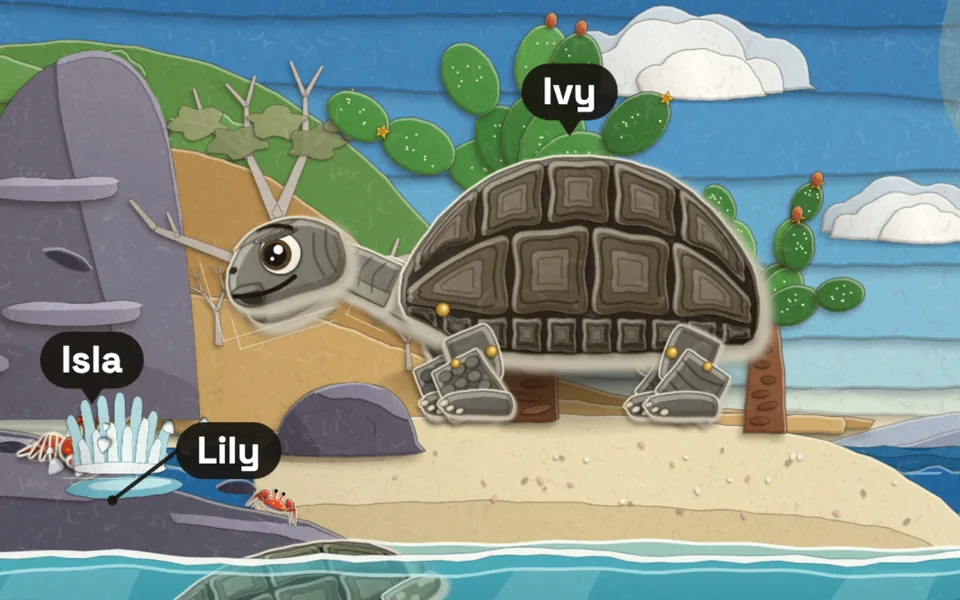 Whisper WildKeep the noise under the line and animals named after the class come out.Noise and behaviour
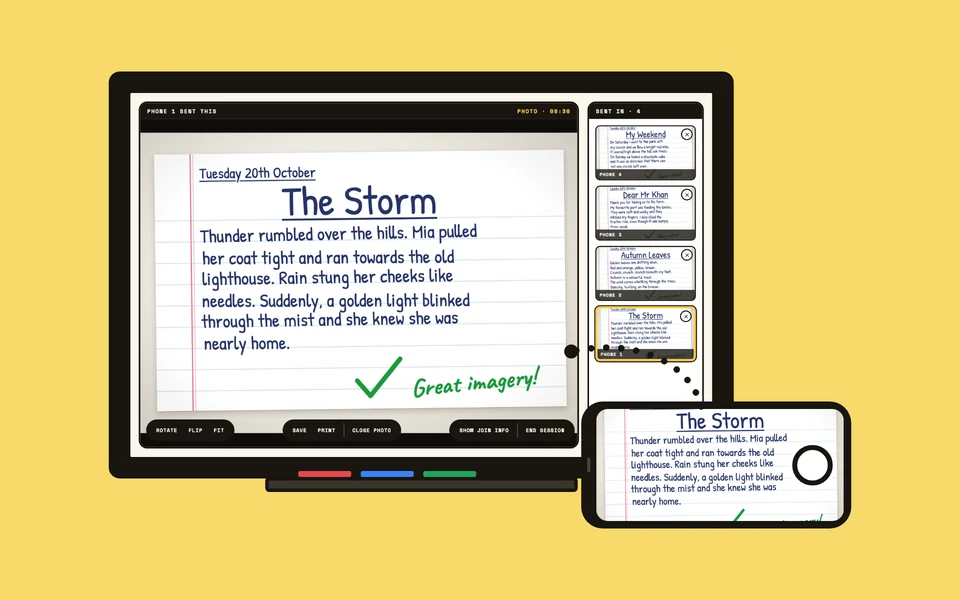 VisualizerAny phone becomes a document camera, live on the board in seconds.Organising the class