 sageteachers.com
Browse the apps →
sageteachers.com
Browse the apps →
Groupings splits your class by size or by number of groups, in one click. It remembers who is in your class, who is away today, and which two children should not sit together.
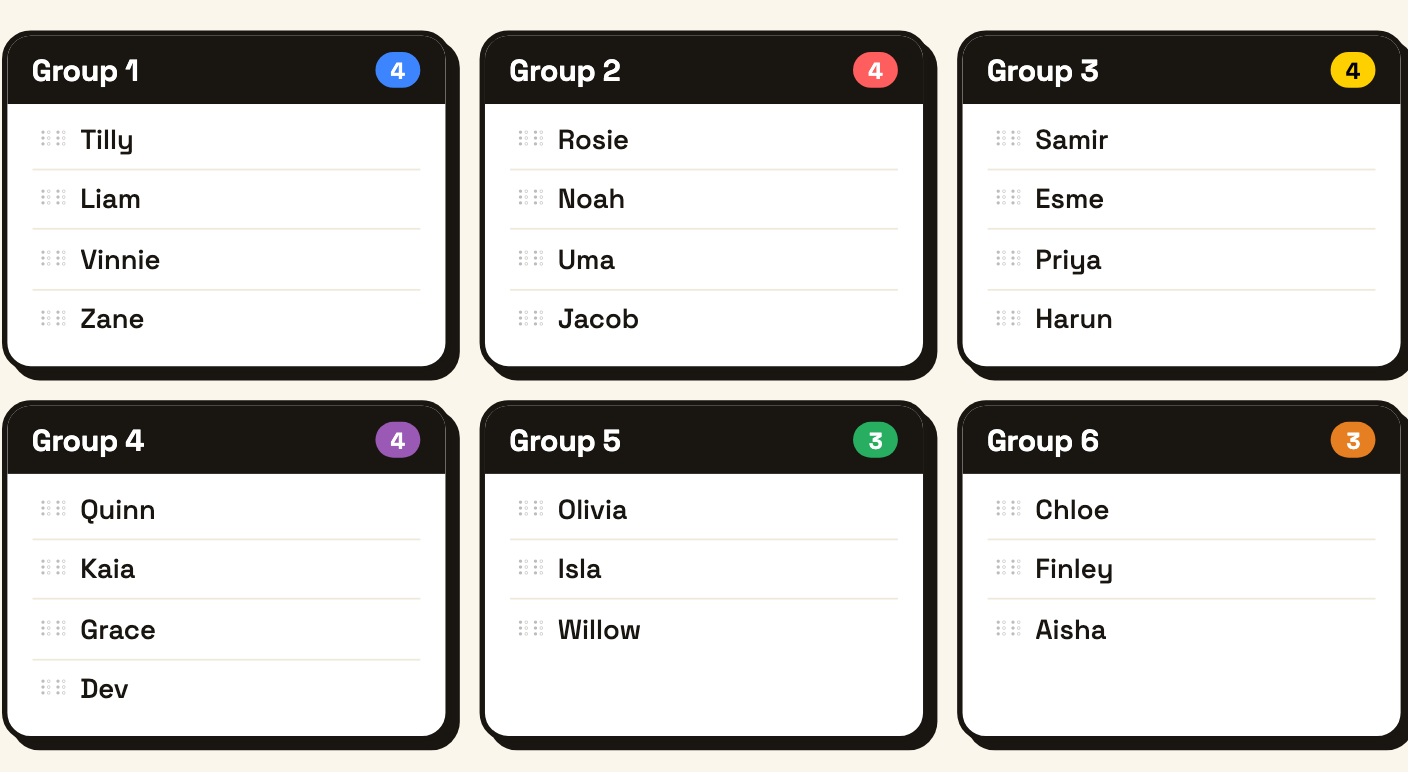
Randomly sort pupils into different sized groups, twos, threes, fours, halves, quarters. The shuffle decides.
Open Groupings →

Flippity is a good site. It has been helping teachers since 2013, it asks nothing of you, and if it is already working for you there is no reason to stop. This page is not an argument against it.
It is here because teachers looking for its group maker often want to know what else is about. Groupings on Sage Teachers is another option, built round one idea: the app already knows your class, so making groups is a click. Below is how the two compare, honestly, including the places Flippity is still the better pick. Worth having a look at both.
| Flippity Random Name Picker | Groupings on Sage Teachers | |
|---|---|---|
| Getting your class in | Paste names and press Generate, then bookmark the page. Or copy a Google Sheets template and sign in with Google. | Save your class once. Every app that needs names reuses it. You can also paste a list or upload a CSV. |
| Coming back tomorrow | Find your bookmark, or your spreadsheet. | Your class is already there when you open it. |
| Children who are away | Edit the list, or use Quick Edit for a temporary change. | Tap a name to mark them absent. The groups work round it. |
| Keeping two children apart | Not something it offers. | Add a keep-apart rule once. Every future grouping respects it. |
| Same children together every time | Every spin is independent. | Recent pairings are quietly steered away from. |
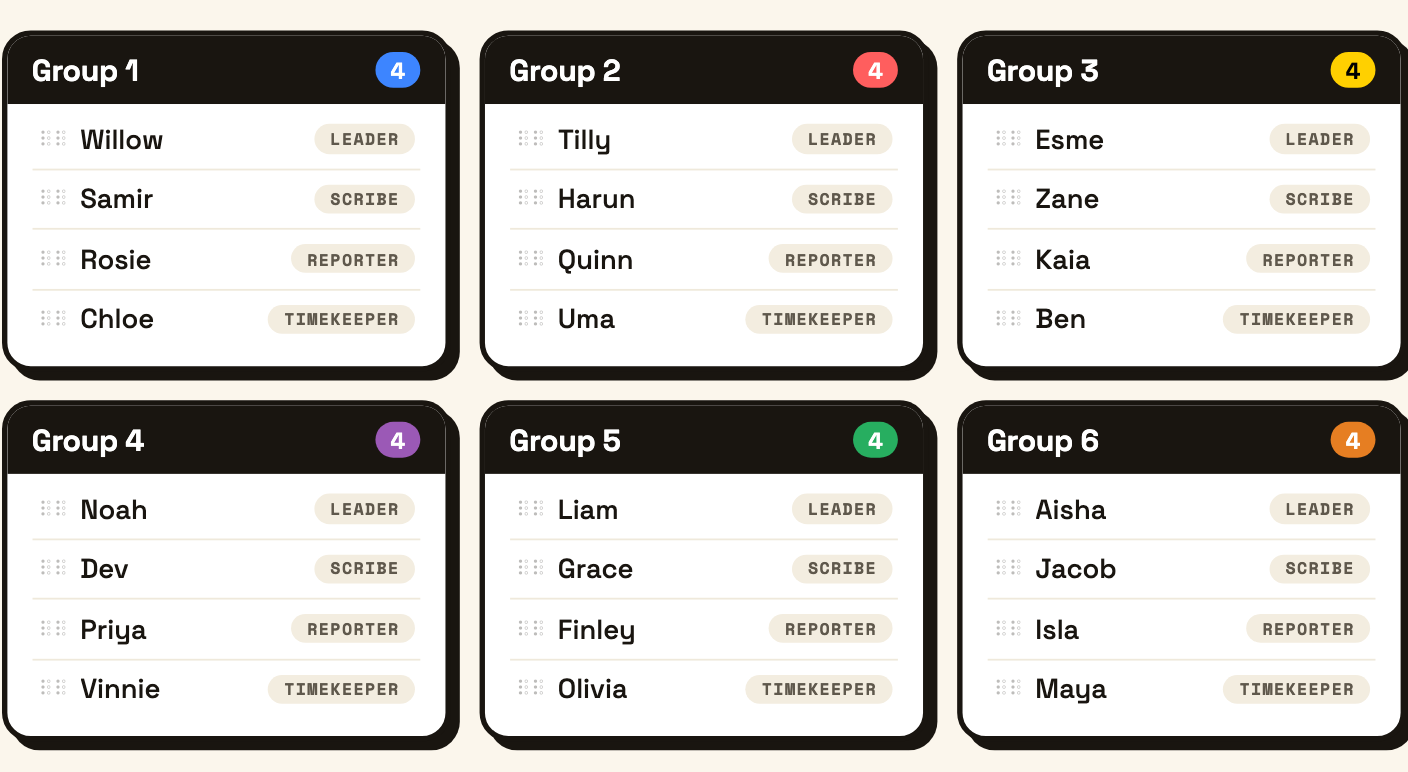
| Jobs inside the group | Not something it offers. | Leader, Scribe, Reporter, Timekeeper, Checker, Resource Manager. |
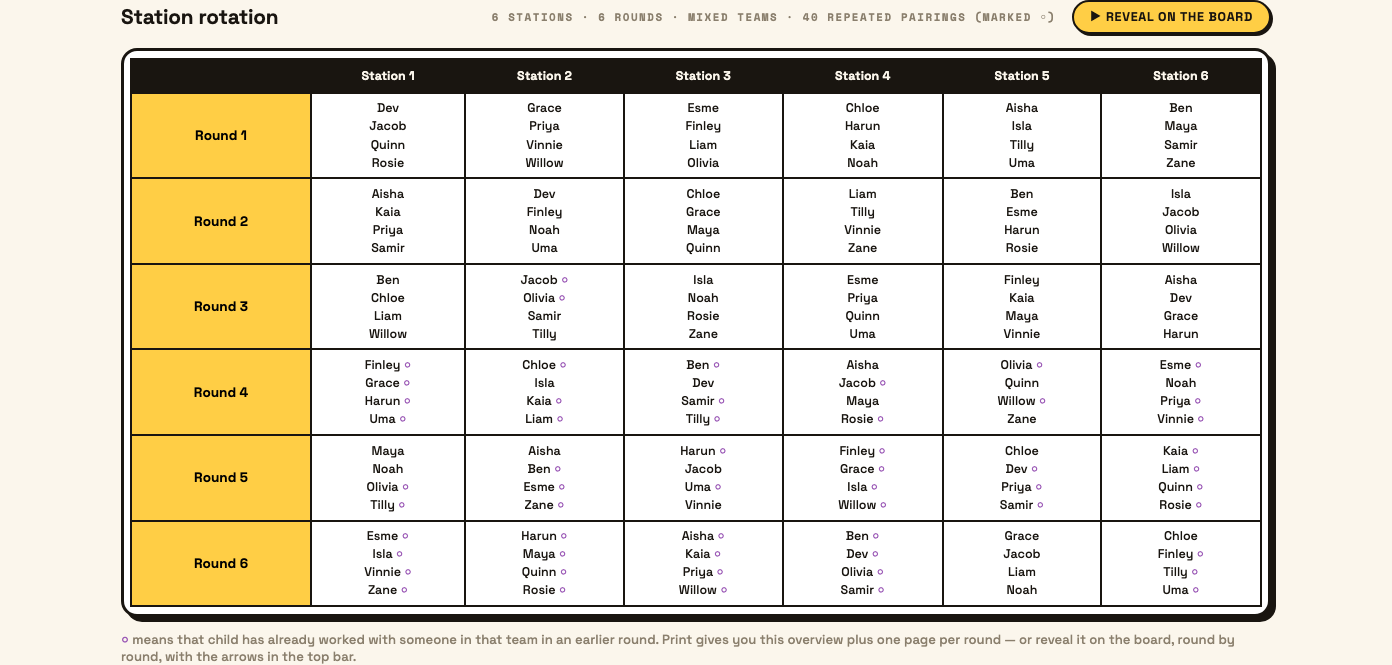
| Carousel or station work | Speed networking and jigsaw grouping. | A full station rotation timetable. Every child visits every station once. |
| Account needed | None at all. | A free teacher account. |
| Cost | Free, with some features supported by ads. | Free and unmetered. No ads anywhere on the site. |
Flippity has been going since 2013 and it has earned its place on a lot of staffroom bookmark bars. It carries thirty-four activities to our overlap of about nineteen, and it does things we simply do not, like MadLibs, a virtual breakout and a tournament bracket. Its random name picker also goes further than ours in places - spinner wheel, lineups, seating charts, printable rosters, even a gift exchange list.
The biggest thing in its favour is that it asks nothing of you. No account, no sign-in, no email. Paste your names and go. If you want a group in the next thirty seconds and you have never been to either site, Flippity wins that race.
Both sites are worth having. This page is a comparison, not a case for dropping one.
Everything here comes from the same idea: the app should already know your class, so making groups is one click and not a setup job.
Flippity has no accounts by design, which is why it is so quick the first time. The trade is that your class list has nowhere permanent to live. It sits in a bookmark or in a spreadsheet you keep up to date yourself. Change a name in September and you change it in every bookmark you made.
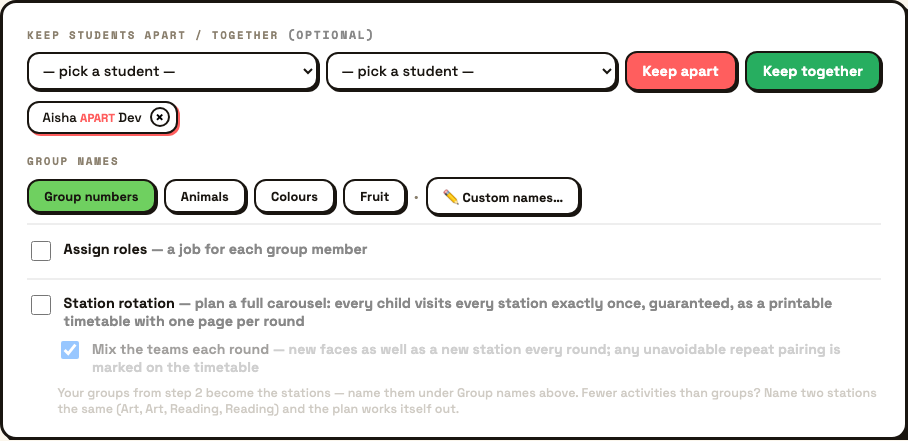
Sage asks you to sign in once, and then holds the class. That unlocks the things a teacher actually needs on a Tuesday morning: mark today's absences with a tap, keep two children apart permanently, keep two together, and let the app remember who worked with who last week so the same four are not sat together again.
Open it, pick your class, and choose whether you want groups of four or four groups. Press go and the names deal themselves out on the board with an animation the class can watch.
Before that, three optional things are worth the thirty seconds. Tap any child who is away. Add a keep-apart pair, or a keep-together pair, if you have children where that matters. Turn on roles if you want each group to get a Leader, a Scribe and so on handed out for you. Groups can be numbered, or named after animals, colours or fruit, or you can type your own names.
If you are running a carousel, switch on station rotation. Instead of one set of groups you get a timetable where every child visits every station exactly once, and you can ask for the teams to be mixed each round so they work with new faces as well as at a new station.
Most teachers who use Flippity's group maker use two or three of its other activities as well, so here is the honest map. About nineteen of its thirty-four have a Sage equivalent.
| On Flippity | On Sage Teachers |
|---|---|
| Random Name Picker, Group Game | Groupings |
| Randomizer | Spin the Wheel |
| Tile Puzzle | Tarsia Maker |
| Cloze Activity | Cloze Maker |
| Flashcards | Flashcards |
| Word Search | Word Search |
| Crossword Puzzle | Crossword Maker |
| Word Scramble | Scrambler |
| WordMaster | Crack the Word |
| Bingo | Bingo |
| Typing Test | Keyboard Clash |
| Word Cloud | Word Cloud |
| Fun with Fonts | Display Lettering |
| Timeline | Timeline Game |
| Manipulatives | Maths Manipulatives |
| Spelling Words | Spelling Lists |
| Quiz Show | Quizmaster |
| Badge Tracker, Leader Board | House Points |
| Certificate Quiz | Certificate Maker |
| MadLibs, Virtual Breakout, Colour By Number, Tournament Bracket, Connecto, Matching Game, Board Game, Snowman | Nothing equivalent yet |
Where the two really part company is how a sheet gets built. On Flippity you supply the content. You type the words, write the clues, fill in the blanks. On the printable Sage makers there is a Generate Your Own box: type your lesson topic, pick an age range, and the words and clues come back written for you.
Then you get a preview. The questions and answers are on screen before anything prints, and you can edit any of them. Most of the makers also print a teacher modelling page, so you have the answers laid out to go through with the class afterwards.
I used Flippity for years and I liked it, but making the resource was always the slow part. I would sit down with a crossword template and a blank column and write every clue myself.
The morning I noticed the difference, I had come in early expecting the usual half hour of setup, and it took about half that. The questions were already written. I checked them on the preview, changed two that were not quite right for my lot, and printed. The sheets were clear and easy to read, the children got straight into them, and I had the modelling page up on the board to go through the answers at the end. The whole thing, top to bottom, just worked.
Groupings is free and always will be. It does not spend a token, because it makes nothing to take away and it calls no paid service. The same goes for the board tools like the whiteboard, the timer and the name wheel.
The printable makers are different, because generating and building a PDF costs us something. Those spend one token per sheet. Every teacher gets twenty free tokens when they sign up, so you can try any of them properly before deciding anything. Pro lifts the daily allowance.
There are no ads anywhere on Sage Teachers, on any app, free or Pro.
Groupings on Sage Teachers is a free group maker for classes. It splits your class by group size or by number of groups, marks children absent, keeps chosen children apart or together, and quietly avoids repeating recent pairings. It needs a free teacher account and it never spends a token.
No. Flippity has no accounts or logins, so a class list lives either in a page you bookmark or in a Google Sheets template you keep yourself. That is a deliberate design choice on their part and it is why Flippity is so fast the first time you use it. Sage Teachers saves your class once and every app that needs names reuses it.
Yes. Flippity's own FAQ says it is free to use, and adds that some features are supported by ads. Sage Teachers carries no ads. Groupings is free and unmetered, while the printable makers spend one token per sheet from the twenty you get when you sign up.
Yes, in Groupings. Add a keep-apart rule for the pair and every future set of groups respects it. You can keep two children together in the same way. Flippity's random name picker has no equivalent rule, so pairings you need to avoid have to be spotted by eye and re-spun.
Around nineteen of Flippity's thirty-four activities have a Sage equivalent, including the group maker, tile puzzle, cloze activity, flashcards, word search, crossword, word scramble, bingo, typing test, word cloud and timeline. Flippity still has several Sage does not, including MadLibs, a virtual breakout, colour by number and a tournament bracket.
Save your class once, and Groupings is ready every morning after that. And keep Flippity bookmarked too. It does plenty we do not, and between the two of them you are well covered.